

Introduction
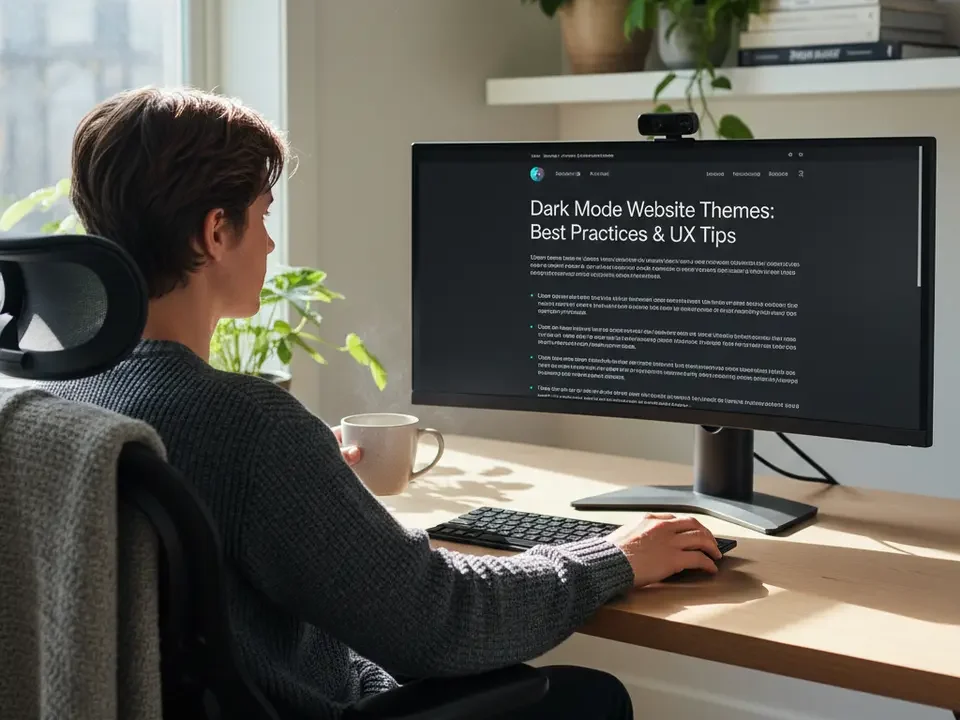
In today’s digital landscape, dark mode website themes have become an essential feature for designers and developers aiming to enhance user experience. This trend, rising sharply this year (2026), offers a blend of aesthetic appeal and practical benefits. From reducing eye fatigue during extended browsing sessions to cutting down power consumption on OLED and AMOLED displays, the advantages are compelling. As more users spend hours engaging with content on screens, implementing a thoughtfully designed dark interface can set your site apart and create a modern, polished impression.
While the concept of a darker color scheme may seem straightforward, crafting and deploying a successful dark mode involves a series of nuanced decisions—from selecting accessible contrast ratios to optimizing performance and SEO. Whether visitors arrive via desktop browsers or mobile devices, your theme should maintain clarity, consistency, and responsiveness. Throughout this article, we’ll guide you through best practices, design principles, and technical implementations for dark mode website themes that delight audiences and uphold inclusivity. By following these insights, you’ll be well-equipped to deliver a seamless experience that aligns with user preferences and the latest web standards.
Why Dark Mode Matters
Embracing dark mode website themes is more than a fleeting design choice; it addresses real-world challenges faced by users in various environments. One of the primary motivations is reducing eye strain in low-light situations. When ambient lighting is minimal, a bright white background can create glare, causing discomfort and potentially leading to headaches. A darker backdrop, in contrast, presents light-colored content in a gentler manner, which can ease visual fatigue for prolonged reading.
Another significant factor is energy efficiency. On devices equipped with OLED and AMOLED screens, each pixel emits its own light. Dark pixels require less power compared to fully lit ones, translating to tangible battery savings for mobile users. This benefit becomes crucial as people rely on their smartphones and tablets for tasks ranging from communication to entertainment. Developers can leverage dark mode to improve battery longevity, enhancing user satisfaction and encouraging longer sessions on their websites.
Beyond ergonomics and power considerations, dark mode also carries a modern, sophisticated aesthetic. Many technology-focused brands adopt this look to convey professionalism and innovation. By accentuating vibrant colors against a deep background, images, icons, and key UI elements stand out more prominently. This heightened visual impact can drive engagement and guide attention toward important calls to action.
Ultimately, offering a dark mode option demonstrates a commitment to user-centric design. It signals respect for individual preferences and environmental factors, reinforcing trust and loyalty. As we explore accessibility guidelines and implementation techniques later, remember that the focus keyword—dark mode website themes—reflects both a user demand and a design philosophy that prioritizes comfort, efficiency, and style.

Ensuring Accessibility in Dark Themes
Accessibility remains paramount when designing dark mode website themes. While darker color schemes can improve comfort for many, they may introduce challenges for users with visual impairments if not executed properly. A foundational requirement is meeting contrast standards outlined by the W3C. According to the W3C WCAG Guidelines, body text should maintain a minimum contrast ratio of 4.5:1 against its background. For larger text—above 18pt or bold 14pt—the threshold relaxes to 3:1, but falling below these ratios risks marginalizing users who depend on high-contrast visuals.
Color blindness presents another consideration. Roughly 1 in 12 men and 1 in 200 women experience some form of color vision deficiency. When accent colors convey critical information, complement them with icons, labels, or patterned backgrounds to ensure content remains distinguishable. Tools like the WebAIM Contrast Checker or browser extensions can simulate various types of color blindness, helping you validate your palette.
Typography choices also influence readability. Avoid overly thin or decorative fonts that blend into dark surfaces. Instead, opt for typefaces with clear letterforms and generous spacing. Adjust line heights and letter spacing to facilitate scanning and reduce cognitive load. When users toggle between light and dark modes, ensure both variations share consistent typographic hierarchy. This uniformity prevents confusion and preserves brand identity.
Keyboard navigation and focus indicators must also be adapted. In dark mode, default focus outlines can become nearly invisible. Customize focus states—using bright accent hues or clear outlines—to guide users who rely on keyboard inputs or assistive technologies. Conduct regular audits with tools like axe or Lighthouse to catch inaccessible components and refine interactive elements. By addressing these accessibility facets, your dark mode website themes will cater to the broadest audience and uphold inclusive design standards.
Designing a Cohesive Dark Color Palette
Creating an effective dark mode website theme begins with a balanced color system. True black (#000000) can be jarring and contribute to eye strain, so many designers favor deep gray bases such as #121212 or #1E1E1E. These hues offer subtle warmth while maintaining the depth needed for contrast. Layering is crucial: use slightly lighter grays for elevated surfaces like modals, cards, and navigation bars to signify hierarchy and depth.
Defining text hierarchy involves selecting a spectrum of grays for different content types. Primary copy often appears in near-white (#E0E0E0) for maximum legibility, while secondary text can rest in muted grays around #B0B0B0. This approach helps users distinguish headlines, body text, captions, and annotations at a glance. Consistent use of these tones fosters visual rhythm and reduces cognitive friction.
Accent colors serve as focal points. Limit yourself to one or two vibrant hues—such as electric blue or teal—that stand out on a dark canvas. Reserve these for buttons, links, icons, and important notifications. Check their contrast ratios against both background and surface layers to ensure they remain prominent. A well-chosen accent not only emphasizes interactive elements but also reinforces brand identity across your site.
When working on imagery, consider serving alternate versions optimized for dark backgrounds. Photographs with light subjects can lose impact if placed on a dark surface; adding subtle overlays or adjusting brightness ensures they integrate smoothly. For vector graphics and icons, maintain outlines or colored fills that contrast effectively without appearing neon. Many UI libraries now offer dual-theme assets—take advantage of these resources to streamline your workflow.
Finally, document your palette in a style guide or design system. Include color values, usage guidelines, and accessibility notes. By centralizing these specifications, you provide developers and content creators with a clear roadmap for building and maintaining your dark mode website themes consistently across all pages and components.

Implementing Dark Mode in Your Codebase
Once you’ve defined your palette and design principles, the next step is integrating dark mode into your site’s code. The simplest approach leverages CSS media queries to detect user preferences. For example:
@media (prefers-color-scheme: dark) {
  body {
    background-color: #121212;
    color: #E0E0E0;
  }
  .navbar, .footer {
    background-color: #1E1E1E;
  }
  a, .btn-primary {
    color: #64B5F6;
  }
}
This snippet automatically applies dark styles when visitors have activated a dark theme at the system level. To give users full control, implement a manual toggle—a simple button or switch—that flips a CSS class on the <html> or <body> element. Store the selection in localStorage or a cookie so it persists across sessions, ensuring consistency regardless of operating system settings.
JavaScript can streamline this process. On page load, check for a stored preference first; if none exists, default to the prefers-color-scheme media query. Here’s a basic example:
const themeToggle = document.getElementById('theme-toggle');
const storedTheme = localStorage.getItem('siteTheme');

function applyTheme(theme) {
  document.documentElement.setAttribute('data-theme', theme);
}

if (storedTheme) {
  applyTheme(storedTheme);
} else if (window.matchMedia('(prefers-color-scheme: dark)').matches) {
  applyTheme('dark');
}

themeToggle.addEventListener('click', () => {
  const current = document.documentElement.getAttribute('data-theme');
  const next = current === 'dark' ? 'light' : 'dark';
  applyTheme(next);
  localStorage.setItem('siteTheme', next);
});
By assigning theme-specific properties under [data-theme='dark'] or [data-theme='light'], you can maintain concise, organized CSS. This pattern also simplifies onboarding new developers and customizing themes in the future.
Testing and Optimizing Dark Mode Performance
Rigorous testing is essential to guarantee that dark mode website themes perform flawlessly across browsers and devices. Start by verifying compatibility in the latest versions of Chrome, Firefox, Safari, and Edge. Each engine may render color values slightly differently, so inspect key components—buttons, forms, navigation bars—and adjust as needed.
Mobile testing is equally vital. iOS and Android handle dark schemes in unique ways, and third-party webviews (used in many apps) can introduce additional quirks. Emulate environments using device labs or cloud testing services, ensuring that your dark theme looks consistent on phones, tablets, and desktops alike.
Performance optimizations directly influence search engine rankings and user satisfaction. Large CSS files can delay the initial paint, leading to a flash of unstyled or light-themed content before dark styles load. To combat this, inline critical CSS for essential dark mode rules and defer non-critical styles using code-splitting or asynchronous loading. Tools like webpack or Rollup can help tree-shake unused code and minimize your style bundles.
Image optimization is another key factor. Provide dark-mode-specific assets where appropriate—images with transparent backgrounds or alternate versions with better contrast. Serve modern formats like WebP or AVIF to reduce payload size. According to research available on NCBI, efficient media handling can improve load times by up to 30% on mobile networks, which is crucial for maintaining engagement.
Finally, conduct accessibility audits using automated tools such as Lighthouse and axe, complemented by manual keyboard navigation tests. Verify focus outlines are visible, form elements are intuitive, and interactive controls respond consistently. Address any issues promptly to preserve both usability and SEO value. By combining cross-platform testing with performance tuning and accessibility validation, you’ll ensure your dark mode website themes deliver a premium experience for every visitor.
FAQ
Q: What are the main benefits of using dark mode website themes?
A: Dark mode reduces eye strain in low-light conditions, conserves battery life on OLED/AMOLED screens, and provides a modern aesthetic that can enhance focus and engagement.
Q: How can I ensure my dark theme remains accessible?
A: Follow WCAG contrast guidelines (4.5:1 for body text, 3:1 for larger text), use tools like WebAIM Contrast Checker, provide clear focus indicators, and avoid color-only cues for critical information.
Q: What’s the easiest way to implement a dark mode toggle?
A: Use CSS media queries to detect prefers-color-scheme and add a JavaScript-controlled toggle that applies a data-theme attribute. Store the user’s choice in localStorage for persistence.
Conclusion
Dark mode website themes provide a versatile and user-friendly alternative to traditional light designs. By prioritizing accessibility, selecting balanced color palettes, and implementing robust testing strategies, you can create an interface that appeals to a broad audience while reducing eye strain and conserving device power. Leveraging CSS media queries, JavaScript toggles, and optimized assets helps deliver a seamless experience that aligns with modern web standards.
As user preferences continue to evolve, offering a polished dark mode option demonstrates attention to detail and a commitment to comfort. Start integrating these best practices today, document your design system thoroughly, and observe how users interact with your site. With careful planning and ongoing refinement, your dark mode website themes will not only look striking but also function flawlessly across all platforms in 2026.

Mary McElwee is an editor at ThemeOrbis, specializing in creating and refining content around WordPress themes, web design, and digital creativity. She simplifies complex design and development concepts into clear, practical insights that help users build modern, responsive, and high-performing websites with ease.












No Comments