

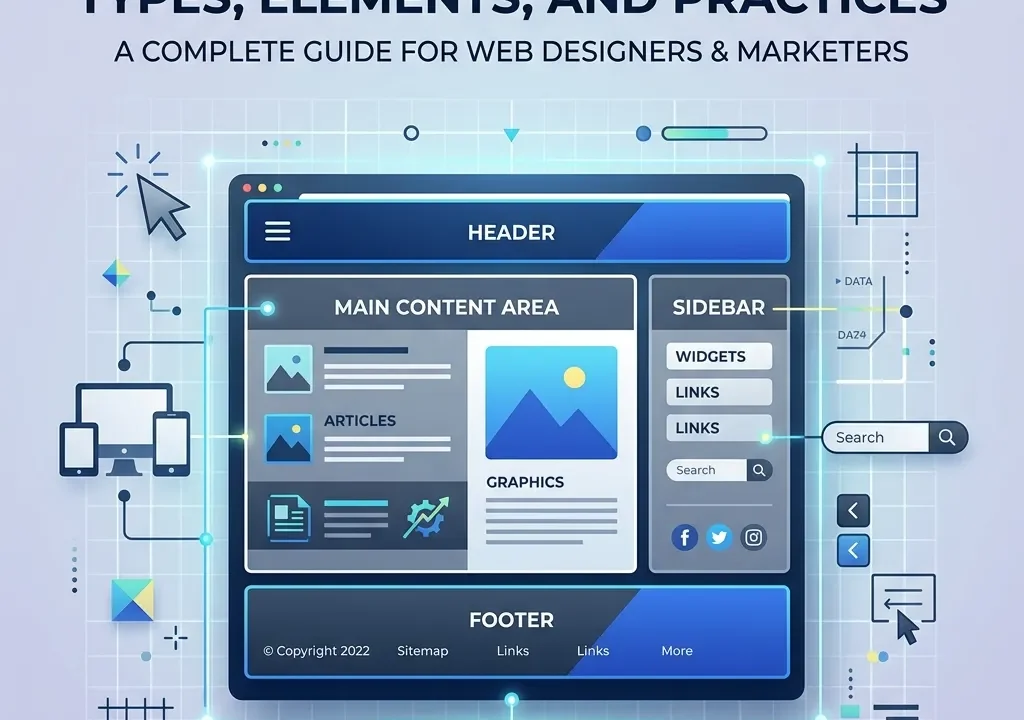
What Is a Website Layout? It is the strategic visual arrangement of web page elements. This guide explains layouts to help you build exceptional digital experiences.
To master What Is a Website Layout?, designers must grasp user psychology, information architecture, and structural principles. Exploring various layout types and implementing responsive best practices ensures your website remains highly intuitive, accessible, and fully optimized for maximum conversions and ongoing user engagement.
What Is a Website Layout? Understanding Information Architecture
What Is a Website Layout? at its core, it is the structural foundation that dictates how content is displayed on a screen. Answering What Is a Website Layout? requires looking closely at information architecture—the practice of organizing and labeling content to support usability and findability.
When professionals ask What Is a Website Layout?, they are often asking how to best guide a user through a digital journey. Good layout design minimizes cognitive load. By effectively structuring the page, a website layout ensures that visitors can effortlessly locate the information they need without feeling overwhelmed by cluttered visuals or confusing navigation paths.
How Does the Psychology of Design Influence Eye-Tracking Patterns?
To fully comprehend What Is a Website Layout?, you must understand how users naturally consume digital content. Eye-tracking studies by the Nielsen Norman Group reveal that people do not read web pages linearly; they scan them.
The Z-Pattern
The Z-Pattern is ideal for pages with minimal text and a clear call-to-action. Users look top-left to top-right, down diagonally to the bottom-left, and across to the bottom-right. When designing What Is a Website Layout? for landing pages, placing your primary button at the end of this Z ensures high visibility.
The F-Pattern
The F-Pattern occurs on text-heavy pages. Users scan the top horizontal line, drop down, scan a shorter horizontal line, and then scroll vertically down the left side. To optimize What Is a Website Layout? for blogs, place key concepts and bolded terms on the left margin.
The Zig-Zag Pattern

The Zig-Zag pattern is used for pages detailing product features. It bounces the user’s eye back and forth between images and text blocks, keeping them engaged as they scroll down the page.
What Are the Core Elements of a Website Layout?
Answering What Is a Website Layout? involves breaking down a page into its standard anatomical parts.
The Header
The header sits at the top of the page. It typically houses the logo, main navigation menu, and sometimes a search bar or utility links.
The Main Content
This is the focal point of the page. Depending on What Is a Website Layout? strategy you use, this section contains articles, product grids, or hero images.
The Sidebar
Sidebars are vertical columns placed to the left or right of the main content. They are excellent for secondary navigation, related links, or promotional banners.
The Footer
The footer acts as the safety net at the bottom of the page. It contains copyright information, comprehensive site links, privacy policies, and contact details.
12 Essential Types of Website Layouts to Consider
When exploring What Is a Website Layout?, there are 12 standard frameworks used across the industry.
Grid Layout
The grid organizes content into rigid rows and columns. It is excellent for eCommerce sites where multiple products need equal visual weight.
Split-Screen Layout
This divides the screen into two vertical halves. It is perfect for sites targeting two distinct audiences or offering two primary user paths.
Asymmetrical Layout
An asymmetrical approach creates tension and visual interest by unbalancing the weight of elements. It is often used by creative agencies to stand out.
Full-Screen Layout
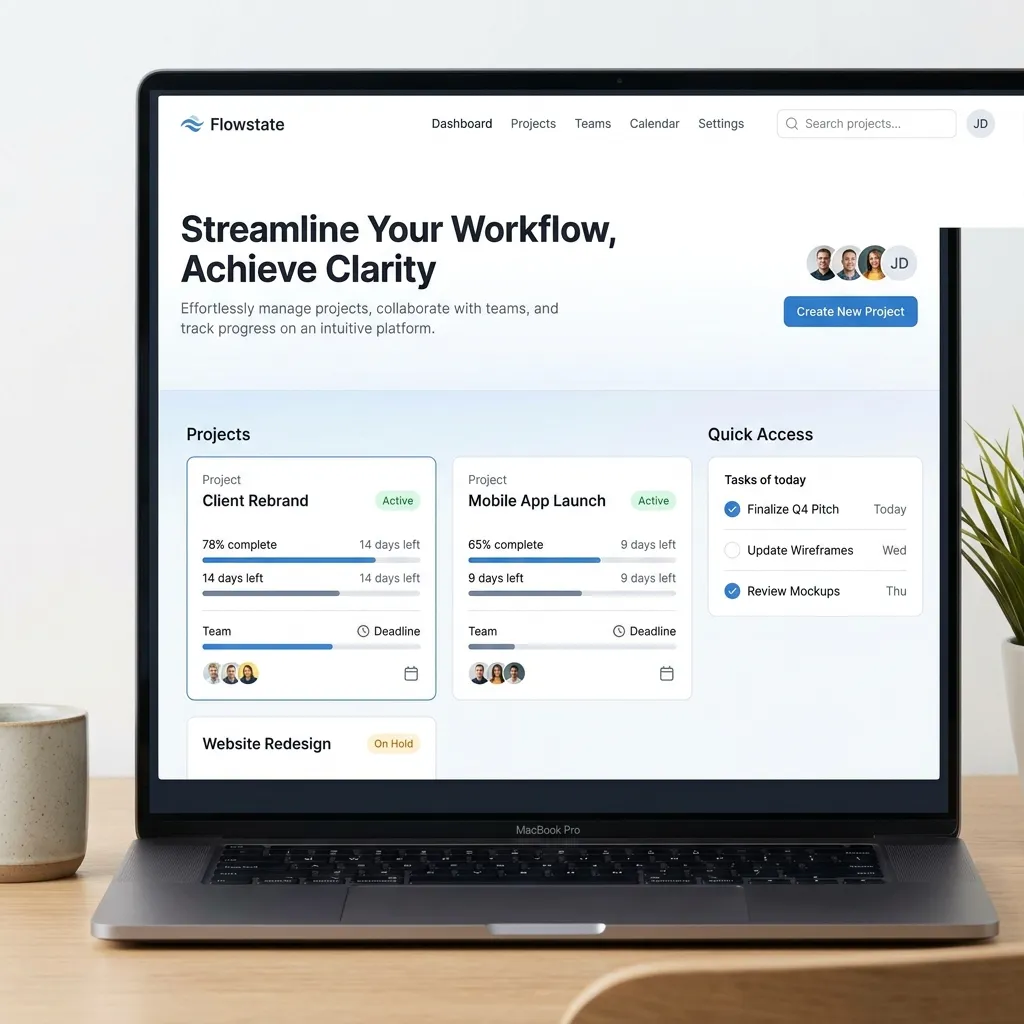
Also known as a hero layout, this features a single, massive image or video covering the entire viewport, immediately capturing attention.
Side-Scrolling Layout
Instead of vertical scrolling, content moves horizontally. This layout is niche and often used for storytelling or portfolio sites.
Card Layout
Popularized by social media platforms, card layouts chunk content into distinct, clickable rectangles containing an image, title, and brief description.
Magazine Layout
Used by major publications, this layout features a complex grid with a dominant headline story and smaller supporting articles to handle massive amounts of content.
Gallery Layout
Similar to a grid but entirely visual, gallery layouts are used by photographers and designers to showcase visual portfolios without textual distraction.
Zig-Zag Layout
As mentioned in eye-tracking, this layout alternates text and images in a back-and-forth pattern, creating a rhythm that pulls users down the page.
F-Pattern Layout
Specifically designed to accommodate the F-pattern reading style, this layout aligns text and navigation strictly to the left axis.
Interactive Layout
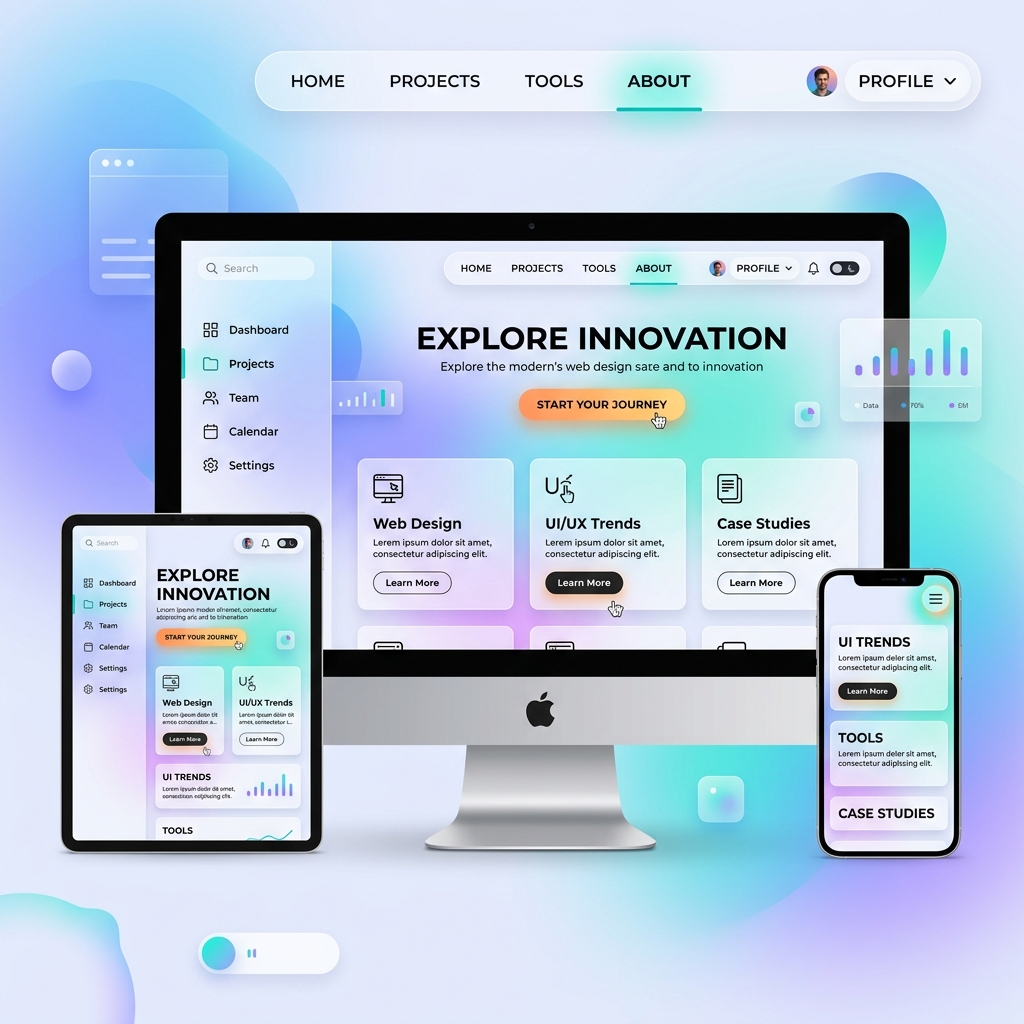
These layouts change dynamically based on user input, cursor movement, or scrolling behaviors, providing a highly immersive user experience.
Animated Layout
Using subtle motion graphics, animated layouts guide the user’s eye to specific elements, making the interface feel alive and modern.
Comparison Table: Choosing the Right Layout for Your Goals
|
Layout Type |
Best Used For |
Primary Benefit |
|---|---|---|
|
Grid Layout |
eCommerce, Portfolios |
Provides equal weight to multiple items. |
|
Split-Screen Layout |
Dual-audience landing pages |
Forces a clear choice between two paths. |
|
Full-Screen Layout |
High-end branding, SaaS |
Creates instant emotional impact. |
|
Card Layout |
Blogs, Social Media |
Excellent for modular, bite-sized content. |
|
Magazine Layout |
News sites, Content hubs |
Handles dense information cleanly. |
What Are the Best Practices for High-Converting Layouts?
Knowing What Is a Website Layout? is only half the battle; executing it effectively requires strict adherence to web design principles.
Responsive Web Design
According to Google Developers, mobile-first indexing is the standard. A layout must fluidly adapt to any screen size. Responsive web design ensures your layout remains functional on desktops, tablets, and smartphones.
Visual Hierarchy (Size and Weight)
Visual hierarchy dictates the order in which a user processes information. Larger, bolder elements are seen first. By manipulating size, color, and contrast, you can direct users precisely where you want them to click.
Rule of Thirds
Borrowed from photography, the rule of thirds divides the layout into a 3×3 grid. Placing key elements at the intersections of these lines creates a more balanced and aesthetically pleasing design.
White Space Management
White space (or negative space) is the empty area between design elements. It prevents cognitive overload and helps the main content breathe, fundamentally improving readability.
Common Mistakes to Avoid in Layout Design
When businesses fail to understand What Is a Website Layout, they often make critical errors:
- Cluttered Interfaces: Cramming too much text into the main content area increases bounce rates.
- Poor Navigation: Hiding the main menu or using confusing icons destroys the user experience.
- Inconsistent Branding: Using different layouts randomly across subpages confuses visitors and dilutes brand trust.
- Ignoring Accessibility: Failing to contrast colors adequately or neglecting screen reader compatibility alienates users.
Pro Tips for Advanced Optimization
To truly elevate your understanding of What Is a Website Layout?, consider these expert insights:
- Use Heatmaps: Tools like Hotjar allow you to see exactly where users are clicking, enabling data-driven layout adjustments.
- A/B Test Everything: Never assume a split-screen is better than a full-screen layout for your specific audience. Always test two variants against each other.
- Prioritize Page Speed: Heavy animated layouts can slow down load times. Optimize your images and code to ensure lightning-fast performance.
Key Takeaways
- Understanding what a website layout is is foundational for improving user experience and driving site conversions.
- Eye-tracking behaviors, such as the F-pattern and Z-pattern, dictate where core elements should be placed.
- There are 12 primary website layout types, each serving distinct goals ranging from media display to e-commerce.
- A high-converting layout relies on strong visual hierarchy, optimal white space, and mobile responsiveness.
- Avoiding common design mistakes requires testing, clear navigation, and adherence to established web design principles.
Elevate Your Digital Presence Today
Understanding what a website layout is? is essential for creating compelling digital interfaces. By leveraging the right structural types and adhering to proven web design principles, you can transform simple pages into powerful conversion engines. Start auditing your current design today, apply these expert strategies, and watch your user engagement metrics consistently soar.
Frequently Asked Questions About What Is a Website Layout?
What Is a Website Layout?
What Is a Website Layout? is the framework that dictates how visual elements, text, and navigation are arranged on a web page to provide a seamless user experience and guide visitor actions.
Why is responsive web design important for website layouts?
Responsive web design ensures that your website layout adapts to different screen sizes, providing a consistent and functional experience for users on mobile devices, tablets, and desktops alike.
How does visual hierarchy affect a website layout?
Visual hierarchy uses size, color, and placement to indicate the importance of different elements, guiding the user’s eye naturally toward the most critical information and calls to action.
What is the difference between a Z-pattern and an F-pattern layout?
A Z-pattern layout is best for pages with minimal text and strong visual cues, while an F-pattern layout is optimized for text-heavy pages where users scan horizontally and then vertically down the left side.
How do I choose the right website layout for my business?
Choosing the right layout depends on your content type and business goals. For example, eCommerce sites benefit from grid layouts, while creative agencies may prefer asymmetrical or full-screen layouts.
What are the core components of a standard website layout?
The core components typically include a header (navigation and logo), main content area (primary messaging), sidebar (secondary links), and footer (legal and contact information).
What is white space in a website layout?
White space, or negative space, is the empty area surrounding design elements. It is crucial for reducing visual clutter, improving readability, and drawing attention to key page features.
Can a website layout impact SEO?
Yes. A well-structured layout improves information architecture, reduces bounce rates, and ensures mobile compatibility, all of which are critical ranking factors for search engines like Google.
What is a card layout, and when should it be used?
A card layout presents information in clickable, rectangular containers. It is highly effective for content hubs, blogs, and social feeds where users need to browse diverse topics quickly.
How frequently should I update my website layout?
You should review and potentially update your website layout every 2 to 3 years, or sooner if analytics indicate high bounce rates, low conversions, or poor mobile performance.
INFORMATION ARCHITECTURE
RESPONSIVE WEB DESIGN
USER EXPERIENCE DESIGN
VISUAL HIERARCHY
WEBSITE LAYOUT

Mary McElwee is an editor at ThemeOrbis, specializing in creating and refining content around WordPress themes, web design, and digital creativity. She simplifies complex design and development concepts into clear, practical insights that help users build modern, responsive, and high-performing websites with ease.








No Comments